Pictory Review 2026: AI Video Creation from Text and Scripts
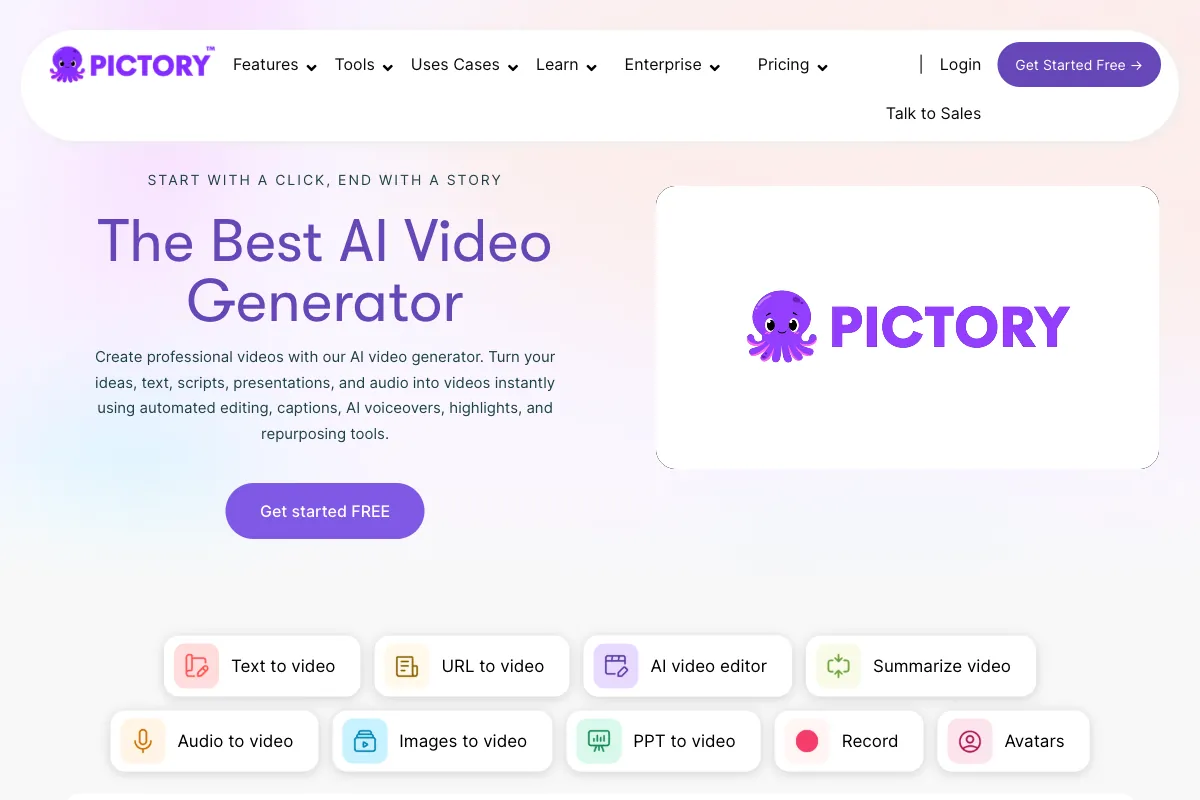
Creating professional video content used to require cameras, editing software, and hours of production time. Pictory changed that equation by turning written content into polished videos using artificial intelligence. Whether you have a blog post, a script, or even just a rough idea, Pictory assembles visuals, voiceover, captions, and music into a shareable video in minutes. Founded to serve marketers, bloggers, and businesses that need video content at scale without a production team, Pictory has grown into one of the most recognized AI video tools on the market. In February 2026, the platform introduced a unified AI video workflow featuring custom visuals, consistent character generation, and prompt-to-video capabilities, marking a significant leap forward. In this review, we break down how Pictory works, what it does well, where it falls short, who benefits most from using it, how it stacks up against competitors, and whether its pricing makes sense for your needs.
How to Use Pictory
Getting started with Pictory is designed to be accessible even for people with zero video editing experience. Here is a step-by-step walkthrough of the main workflows:
-
Sign Up and Choose a Workflow: Create an account at pictory.ai. Pictory offers a free trial that lets you create three video projects, each up to 10 minutes long, so you can explore the platform before committing to a paid plan. Once inside the dashboard, you will see several creation paths: Script to Video, Article to Video, Edit Video Using Text, and Visuals to Video.
-
Script to Video: This is Pictory's flagship workflow. Paste or type your script into the editor, and the AI analyzes the text to break it into scenes. For each scene, Pictory automatically selects relevant stock footage, images, and background music from its library of over 18 million assets. You can customize every scene by swapping visuals, adjusting timing, changing transitions, or uploading your own media.
-
Article to Video: Enter a blog URL or paste article text, and Pictory extracts the key points to create a summarized video. This is particularly useful for content marketers who want to repurpose existing written content into video format for social media platforms like YouTube, Instagram, or LinkedIn.
-
Edit Video Using Text: Upload an existing video, and Pictory generates a full transcript. You can then edit the video by editing the text. Delete a sentence from the transcript and the corresponding video segment is removed. This text-based editing approach makes trimming, cutting, and rearranging footage as simple as editing a document. The platform can also automatically remove filler words like "um" and "uh" in a single click.
-
Add AI Voiceover and Captions: Choose from over 60 AI voices across multiple languages and accents. Pictory added 25 new premium ElevenLabs voices in recent updates, covering Dutch, French, German, Italian, Portuguese, and Spanish with natural intonation. Auto-generated captions can be styled and positioned to match your brand, which is critical for social media videos where most viewers watch with the sound off.
-
Customize and Export: Apply your brand colors, logos, and fonts. Choose your aspect ratio for different platforms, then export in resolutions up to 1080p. The entire process from script to finished video typically takes 10 to 20 minutes.
For teams and agencies, Pictory now supports automation integrations through Zapier and Make.com, enabling workflows where videos are automatically generated when new blog posts are published, products are added to a catalog, or leads enter a CRM system. The platform also introduced AI Credits as a unified currency for generative features including AI image generation through multiple models such as Flux Schnell and Amazon Titan, with video and avatar generation expanding soon.
Pros and Cons of Pictory
Pros
- Extremely Low Learning Curve: Pictory requires no video editing skills whatsoever. If you can write or paste text, you can create a video. The interface guides you through each step, making it accessible to complete beginners.
- Fast Text-to-Video Conversion: Turning a script or blog post into a complete video takes minutes rather than hours. Users frequently report that Pictory saves them 6 to 8 hours per week on content production.
- Large Stock Media Library: With access to over 18 million royalty-free images, video clips, and music tracks sourced from premium stock providers, you rarely need to source external media.
- Effective Text-Based Video Editing: The ability to edit video by editing a transcript is genuinely powerful. Removing filler words, trimming sections, and rearranging content becomes effortless.
- Blog-to-Video Repurposing: The article-to-video feature is a standout for content marketers who want to extend the reach of existing written content without starting from scratch.
- Affordable Entry Point: Compared to many competitors, Pictory offers competitive pricing that makes AI video creation accessible to solopreneurs and small businesses.
- Multilingual Voice Support: The addition of premium ElevenLabs voices across six European languages provides natural-sounding narration for international audiences.
- Automation Capabilities: Zapier and Make.com integrations allow businesses to build hands-off content pipelines that generate videos automatically from triggers.
Cons
- Output Can Feel Generic: Because Pictory relies heavily on stock footage, videos can have a templated, stock-heavy look that lacks the unique feel of custom-shot content. Viewers familiar with stock libraries may recognize reused clips.
- Limited Creative Customization: While adequate for informational and marketing videos, Pictory offers less design flexibility than full-featured video editors. Advanced animations, complex transitions, and precise timeline control are not its strength.
- AI Voiceover Quality Varies: Although improving with the addition of ElevenLabs voices, some AI voices still sound unnatural, with limited ability to adjust intonation, emphasis, or emotional tone. Manual pacing adjustments may be needed.
- Occasional Visual Mismatches: The AI sometimes pairs images or footage that do not accurately match the text content. Users need to review each scene and manually swap out mismatched visuals.
- No AI Avatars: Unlike competitors such as Synthesia or HeyGen, Pictory does not offer AI avatar presenters. If you need a talking head or digital spokesperson, you will need a different tool.
- Customer Support Response Times: Multiple user reviews note that technical support can be slow to respond, which can be frustrating when facing time-sensitive production deadlines.
- Pricing Model Transition: Pictory has shifted from a per-video to a per-minute pricing model, which may confuse existing users and requires careful monitoring of usage to avoid overages.
Main Use Cases
Pictory is most effective in scenarios where written content needs to become video quickly and affordably:
- Content Marketing: Convert blog posts, articles, and website content into engaging social media videos. Marketers use Pictory to multiply the reach of their existing content library without creating anything from scratch.
- Social Media Video Production: Create short-form videos optimized for YouTube, Instagram Reels, TikTok, LinkedIn, and Facebook. The platform supports multiple aspect ratios and auto-generates captions that boost engagement.
- Corporate Communications: Produce internal update videos, training summaries, and announcement videos from scripts without needing a camera crew or studio.
- Educational and Explainer Content: Build informational videos for courses, tutorials, and how-to guides. The text-based approach makes it easy to create structured educational content.
- Sales and Product Videos: Generate product demonstrations, feature highlight reels, and promotional content from product descriptions or sales scripts.
- Podcast and Webinar Highlights: Use the text-based editing workflow to extract and repurpose key moments from recorded content, adding visuals and captions for social sharing.
- Video Summarization: Condense long-form video content into shorter, shareable highlights by editing the transcript and removing non-essential sections.
Target Audience
Pictory is built for creators and professionals who need video content but lack the time, budget, or technical skills for traditional video production:
- Content Marketers: The primary audience. Marketers who manage blogs, newsletters, and social media channels use Pictory to repurpose written assets into video without hiring videographers.
- Bloggers and Writers: Those who want to extend their written content to video platforms without learning complex editing software.
- Small Business Owners: Entrepreneurs and SMBs that need professional-looking video for marketing and communication but cannot justify a production team.
- Social Media Managers: Professionals responsible for maintaining a consistent posting schedule across multiple video-heavy platforms.
- Course Creators and Educators: Instructors building online courses who need to convert lesson scripts into engaging video lectures.
- Agencies and Freelancers: Marketing agencies producing video content at scale for multiple clients, leveraging automation integrations to streamline delivery.
- Corporate Communications Teams: Internal teams creating update videos, training materials, and announcements from existing documentation.
Pictory is less suited for filmmakers, entertainment creators, or anyone requiring highly customized cinematic production. It is also not the right fit for those who need AI avatar presenters or real-time interactive video features.
Main Competitors and Their Pros and Cons
Pictory operates in a competitive AI video creation market. Here is how the leading alternatives compare:
| Competitor | Starting Price | Pros | Cons |
|---|---|---|---|
| Synthesia | $29/mo | Industry-leading AI avatars (240+); 160+ languages; SCORM export for LMS; strong enterprise features; Interactive video with quizzes. | No stock footage assembly workflow; expensive custom avatars ($1,000/yr); content moderation restrictions; best features locked behind Enterprise tier. |
| InVideo | $28/mo | 5,000+ templates; AI prompt-to-video; massive stock library (16M+ assets); affordable unlimited plan; mobile app available. | Credits burn quickly on regenerations; AI output inconsistencies; lower resolution issues reported; steeper learning curve for advanced features. |
| Lumen5 | $19/mo | Excellent blog-to-video conversion; very user-friendly drag-and-drop interface; good template library; brand kit support. | No AI voiceover; fewer customization options; limited to shorter videos; less advanced AI capabilities compared to newer competitors. |
| FlexClip | $10/mo | Very affordable; easy timeline editor; good template selection; screen recording; AI text-to-video. | Smaller stock library; fewer AI automation features; less powerful text-based editing; limited brand management tools. |
| Canva Video | $13/mo (Pro) | Part of the broader Canva ecosystem; massive template library; strong brand kit and design tools; team collaboration features. | Video features are secondary to design; limited AI video generation; no text-based video editing; less specialized for video-first workflows. |
Pictory's core advantage over competitors is its combination of script-to-video and text-based editing in a single, easy-to-use platform. It trails Synthesia in avatar technology and InVideo in template volume, but outperforms Lumen5 in AI voiceover quality and FlexClip in automation capabilities.
Pricing
Pictory offers three main plans plus an enterprise option. The platform has transitioned to a video-minutes pricing model, displaying quotas in minutes rather than number of videos. All prices below reflect monthly billing; annual subscriptions reduce costs to approximately $19, $39, and $99 per month respectively.
- Starter Plan: $23/month — Includes basic video editing features, access to royalty-free stock media, AI voices, music tracks, customizable templates, and standard export quality. Best suited for individuals and light usage.
- Professional Plan: $47/month — Doubles the video minute allowance, unlocks hyper-realistic AI voices, branded templates, additional music tracks, bulk video downloads, and higher export quality. Ideal for active content creators and marketers.
- Teams Plan: $119/month — Supports collaborative video creation with shared workspaces, 90 video minutes per month, transcription support up to 180 minutes per video, team management features, and expanded branded template slots. Designed for agencies and marketing teams.
- Enterprise Plan: Custom pricing — Tailored solutions with dedicated support, advanced security features, custom integrations, flexible usage limits, and SLA guarantees. Contact Pictory's sales team for a quote.
All plans include a free trial so you can evaluate the platform before subscribing. AI Credits for generative features like image generation are included in paid plans and can be purchased additionally as needed. Annual billing provides meaningful savings of approximately 20% compared to monthly rates, making it worthwhile for anyone committing to regular video production.
For teams evaluating Pictory against competitors, the Starter plan at $23/month is competitive with Lumen5 ($19/month) and more affordable than InVideo ($28/month) or Synthesia ($29/month), making it an accessible entry point for AI video creation.
Complement AI-Generated Video with Real Conversation Clips

Pictory excels at transforming written content into polished video, assembling stock footage, voiceover, and captions from your scripts and articles. But not all compelling video comes from a script. If you record podcasts, interviews, webinars, coaching sessions, or any long-form conversational content, the most engaging moments are already captured in your footage. They just need to be found and extracted.
That is where Viral Clips comes in. While Pictory generates new videos from text, Viral Clips takes a fundamentally different approach: it analyzes your existing recordings to identify the most viral-worthy moments and turns them into ready-to-post short clips.
Key features of Viral Clips include:
- Generating 5 to 30 optimized clips per video in just 20 to 30 minutes.
- AI-driven viral moment detection, hooks, reframing to vertical format, and customizable captions.
- Support for videos 5 minutes to 4 hours long, ideal for podcasts, interviews, and webinar recordings.
- Credit-based pricing starting at $20/month for 200 credits (processing approximately 3 hours of video, yielding around 60 clips), or $200/year for 4,000 credits.
The two tools complement each other naturally. Use Pictory to create scripted, stock-footage-driven videos from your blog posts and marketing copy. Then use Viral Clips to extract the authentic, unscripted highlights from your real conversations, the moments where genuine emotion, insight, and personality come through in ways that AI-generated content simply cannot replicate. Together, you cover both sides of a modern video strategy: polished AI production and authentic human connection. Visit Viral Clips to try it with a 3-day free trial including 20 credits.