StreamYard Review: The Complete Guide to Live Streaming, Multistreaming, and AI Clips in 2026
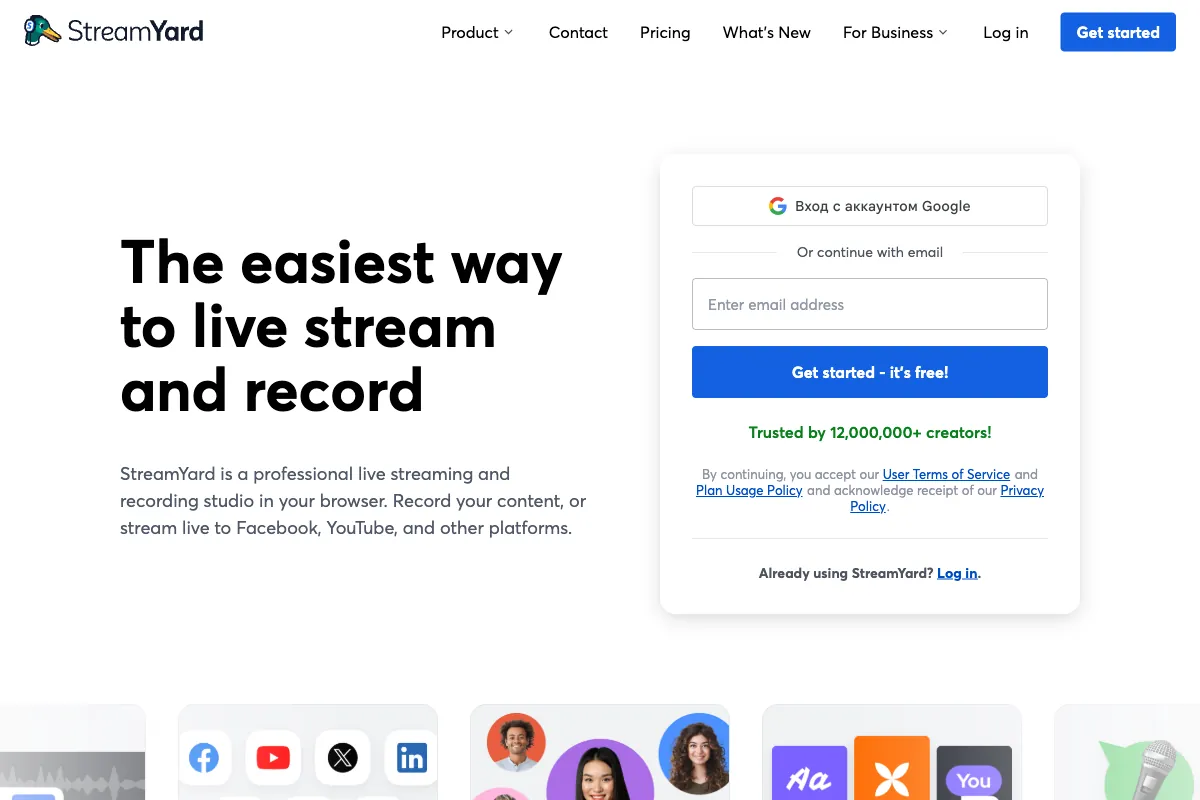
Live streaming has become a cornerstone of content strategy for creators, businesses, and organizations worldwide. But for many, the technical barrier to entry remains daunting: complex software, expensive hardware, and unreliable setups. StreamYard has positioned itself as the antidote to that complexity. It is a fully browser-based live streaming, recording, and webinar platform that requires zero downloads and zero technical expertise to get started. With over 50 new features shipped in 2025 alone, StreamYard continues to evolve rapidly. This review takes an in-depth look at everything StreamYard offers in 2026, from its core streaming capabilities and AI-powered clip generation to its pricing, limitations, and how it compares against the competition.
How StreamYard Works
StreamYard runs entirely in your web browser. There is nothing to download or install, which means you can go live from virtually any computer with a webcam and an internet connection. The setup process is remarkably simple: create an account, connect your streaming destinations (YouTube, Facebook, LinkedIn, Twitch, and more), invite guests via a shareable link, and hit "Go Live." The entire process from signup to first broadcast can take under five minutes.
The platform supports up to 10 on-screen participants simultaneously, with an additional 15 backstage participants who can watch and communicate via chat without appearing on the stream. This makes it practical for panel discussions, Q&A sessions, webinars, and large collaborative broadcasts. Guests join through a simple browser link with no account required on their end, dramatically lowering the friction for multi-person shows.
StreamYard's multistreaming capability is one of its headline features. Depending on your plan, you can broadcast to up to 8 destinations at once, meaning a single show can reach your audiences on YouTube, Facebook Pages and Groups, LinkedIn, Twitch, X (formerly Twitter), and any custom RTMP destination simultaneously. This eliminates the need to run separate streams or use third-party multistreaming services.
Key Features
StreamYard has grown from a straightforward streaming tool into a comprehensive live production platform. Here are the features that define the experience in 2026:
Professional Branding and Overlays: StreamYard provides extensive branding controls. You can add custom logos, overlays, lower thirds, banners, scrolling tickers, and background images. The scene management system lets you pre-configure different layouts and switch between them during a broadcast. This gives even solo creators the polish of a professional production setup.
4K Streaming and Recording: The Advanced and higher plans support streaming and recording in full 4K resolution. Local recordings download directly to your computer, providing a high-quality master file independent of your stream's bitrate and resolution.
AI Clips and Reels Generator: One of StreamYard's most significant additions is its AI-powered clip generator. After a broadcast or recording session, the AI analyzes your content and identifies the most engaging moments, automatically generating short clips suitable for social media. The system supports voice markers, meaning you can say "Clip that" during a live session, and the AI will flag that moment for later clipping. Auto-reframing handles the conversion from landscape to vertical format, and the MARS (Multi-Aspect Ratio Streaming) feature allows you to stream in multiple aspect ratios simultaneously.
Interactive Audience Tools: Broadcasters can feature live comments on screen, display QR codes for audience engagement, trigger sound effects, and use virtual backgrounds. Screen sharing is built in, supporting full screen, window, or browser tab sharing directly from the StreamYard interface.
Webinars: StreamYard includes a dedicated webinar mode, allowing you to host registration-based events with landing pages, email reminders, and post-event analytics. This makes it a viable alternative to standalone webinar platforms for many use cases.
Pros of StreamYard
StreamYard's strengths are well documented across user reviews and industry assessments. The platform holds a 4.8 out of 5 rating on G2 (based on approximately 295 reviews) and a 4.5 out of 5 on Capterra (approximately 106 reviews).
-
Exceptionally Easy to Use: The browser-based approach means there is genuinely nothing to install or configure. Creators consistently cite this as the primary reason they chose StreamYard over alternatives like OBS. The learning curve is nearly flat.
-
No Downloads Required: Both hosts and guests operate entirely through the browser. This is particularly valuable for guest-heavy shows where participants may not be technically inclined.
-
Professional Output Quality: Despite its simplicity, StreamYard produces clean, professional-looking streams with branded overlays, smooth scene transitions, and reliable audio quality. Many users report that their audio quality through StreamYard is excellent, often better than expected from a browser-based tool.
-
Reliable Multistreaming: Broadcasting to multiple platforms simultaneously works consistently. For creators building audiences across YouTube, LinkedIn, and Facebook, this is a significant time saver.
-
AI Clips Save Significant Time: The AI clip generator turns what used to be hours of post-production work into an automated process. Voice markers during live sessions add a layer of convenience that competing tools have not yet matched in this context.
-
Excellent Collaboration Features: The guest link system, backstage area, and private chat make it easy to coordinate multi-person shows. Producers can manage participants, control who appears on screen, and communicate privately.
-
Active Development: StreamYard shipped over 50 features in 2025, demonstrating a commitment to rapid iteration. The platform regularly adds capabilities that keep it competitive with more established tools.
Cons of StreamYard
No platform is without drawbacks, and StreamYard's limitations are worth understanding before committing. Notably, its Trustpilot score sits at 1.8 out of 5 (approximately 53 reviews), with the majority of negative feedback centered on billing and pricing concerns.
-
Significant Price Increases: StreamYard raised its prices by approximately 80% in recent updates, which frustrated many long-time subscribers. The Core plan moved from the mid-$20s to $44.99 per month, a substantial jump that pushed some users to explore alternatives.
-
Declining Customer Support: Multiple reviewers note that support quality has decreased, with longer response times and less personalized assistance. This is a common growing pain for rapidly scaling SaaS products, but it remains a real concern.
-
Free Plan Limitations: The free tier includes a StreamYard watermark, caps streaming at 720p, and limits multistreaming to only 2 destinations. While useful for testing, it is not viable for professional use.
-
Billing Complaints: The Trustpilot reviews are dominated by complaints about unexpected charges, difficulty canceling subscriptions, and unclear billing practices. Prospective users should review the terms carefully.
-
Occasional Stability Issues: Some users report intermittent crashes, black screens, or audio dropouts during broadcasts. While these do not appear to be widespread, they are particularly damaging in a live streaming context where reliability is paramount.
-
Less Customizable Than OBS: Power users who want granular control over every aspect of their stream will find StreamYard limiting. It trades deep customization for ease of use, which is the right choice for its target audience but a dealbreaker for some.
-
10-Guest On-Screen Limit: While 10 simultaneous on-screen participants is generous for most use cases, large panel events or conferences may find this restrictive compared to solutions like Zoom or dedicated webinar platforms.
Pricing
StreamYard uses a tiered pricing model. All prices listed are as of early 2026:
| Plan | Monthly Price | Annual Price (per month) | Resolution | Destinations | Key Features |
|---|---|---|---|---|---|
| Free | $0 | $0 | 720p | 2 | StreamYard watermark, basic features |
| Core | $44.99 | $35.99 | 1080p | 3 | No watermark, branding, local recordings |
| Advanced | $88.99 | $68.99 | 4K | 8 | AI Clips, MARS, advanced analytics |
| Teams | $298.99 | - | 4K | 8 | Multi-user workspaces, team management |
| Enterprise | Custom | Custom | 4K | Custom | SSO, SLA, dedicated support |
The jump from Free to Core is steep, and the Advanced plan nearly doubles the cost again. For creators who need 4K and AI clips, the Advanced tier is the sweet spot. Teams pricing is aimed at agencies and organizations running multiple shows with multiple hosts.
Target Audience
StreamYard is designed for people who want professional live streaming without the technical overhead. Its ideal users include:
- Content Creators and YouTubers who want to go live regularly without mastering OBS or investing in complex hardware setups.
- Podcasters using the platform for video podcast recordings with remote guests, benefiting from the easy guest link system and local recording quality.
- Coaches, Consultants, and Course Creators who run live workshops, Q&A sessions, and webinars as part of their business.
- Marketing Agencies managing live content for multiple clients across multiple platforms simultaneously.
- Corporate Trainers and Internal Communications Teams who need reliable, branded broadcasting for company-wide events.
- Community Managers running regular live shows for Facebook Groups, LinkedIn communities, or Discord servers.
- Entrepreneurs and Small Business Owners who want to build their brand presence through live video without hiring a production team.
- Journalists and Media Organizations who need to go live quickly from the field with minimal equipment.
- Churches and Nonprofits that stream services and events to reach remote audiences.
Main Competitors and Alternatives
StreamYard operates in a competitive space. Here is how the main alternatives compare:
| Competitor | Best For | Key Advantage Over StreamYard | Key Disadvantage vs StreamYard |
|---|---|---|---|
| Riverside | High-quality recording | Records each participant locally at up to 4K; superior audio/video quality for post-production | Not designed for multistreaming; more recording-focused |
| Restream | Maximum reach | Supports 30+ streaming destinations simultaneously | Less polished production interface; fewer on-screen tools |
| OBS Studio | Full customization | Free, open-source, infinitely customizable with plugins | Steep learning curve; desktop-only; no built-in guest system |
| Ecamm Live | Mac power users | Deep macOS integration; powerful scene management | Mac-only; no browser-based option; no guest links |
| Zoom | Meetings first | Ubiquitous; participants already have it; strong breakout rooms | Not optimized for public-facing broadcasts; limited branding |
| vMix | Professional production | Broadcast-grade features; NDI support; virtual sets | Expensive; Windows-only; significant learning curve |
| Be.Live | Social media focus | Easy Facebook and YouTube streaming with on-screen comments | Fewer features overall; less active development |
| Crowdcast | Webinar events | Built-in registration, ticketing, and replay management | Less capable for regular live streaming; smaller user base |
The choice between StreamYard and its competitors often comes down to priorities. If recording quality is paramount, Riverside is the stronger pick. If you need maximum destination reach, Restream wins. If you want total control and pay nothing, OBS is unmatched. But if you want the best balance of simplicity, professional output, and collaboration features in a browser-based package, StreamYard remains the leading option for most creators and businesses.
User Ratings Overview
StreamYard's reputation varies significantly across review platforms, which is worth understanding:
- G2: 4.8 out of 5 (approximately 295 reviews) -- Users praise ease of use, reliability, and feature set. This is StreamYard's strongest rating and reflects the experience of its core user base.
- Capterra: 4.5 out of 5 (approximately 106 reviews) -- Positive sentiment around simplicity and multistreaming, with some criticism of pricing.
- Trustpilot: 1.8 out of 5 (approximately 53 reviews) -- Dominated by billing complaints, cancellation difficulties, and frustration with price increases. This score reflects customer service and billing issues more than product quality.
The disparity between G2/Capterra and Trustpilot is notable. Users who evaluate StreamYard as a product tend to rate it highly. Those who have encountered billing friction rate the company poorly. Prospective users should go in with clear awareness of the subscription terms.
Turn Your StreamYard Recordings into Viral Social Clips

StreamYard makes live streaming and recording effortless. But what happens after your webinar or live show ends? That is where Viral Clips comes in. Upload your StreamYard recording and our AI automatically finds the most engaging moments, turning your hour-long session into dozens of ready-to-post social clips. The workflow is simple: Stream, Record, Clip, Post.
While StreamYard's built-in AI Clips feature handles basic highlight extraction, Viral Clips specializes in conversational content like podcasts, interviews, panel discussions, and coaching sessions. The AI detects natural hooks, emotional peaks, and quotable moments, then reframes them to vertical format with polished captions and effects. For creators who stream regularly on StreamYard, Viral Clips transforms every broadcast into a week's worth of social media content. Try it with a free trial and see how many clips your last recording can produce.