Buffer vs Later: Social Media Scheduling for Content Creators in 2026
Keeping a consistent posting schedule across multiple social media platforms is one of the biggest challenges content creators face. Two of the most popular tools designed to solve this problem are Buffer and Later. Both have earned loyal followings, but they take meaningfully different approaches to social media management. Buffer is known for its clean, straightforward interface and affordable per-channel pricing, while Later built its reputation as an Instagram-first visual planner with features like Linkin.bio and drag-and-drop grid previews.
In this comparison, we break down how each tool works, their strengths and weaknesses, who they serve best, how they compare on features and pricing, and which competing tools are also worth considering in 2026.
How to Use Buffer
Getting started with Buffer takes only a few minutes. Here is the typical workflow:
-
Create an Account: Sign up at buffer.com. The free plan supports up to three social channels with no credit card required, so you can start scheduling right away.
-
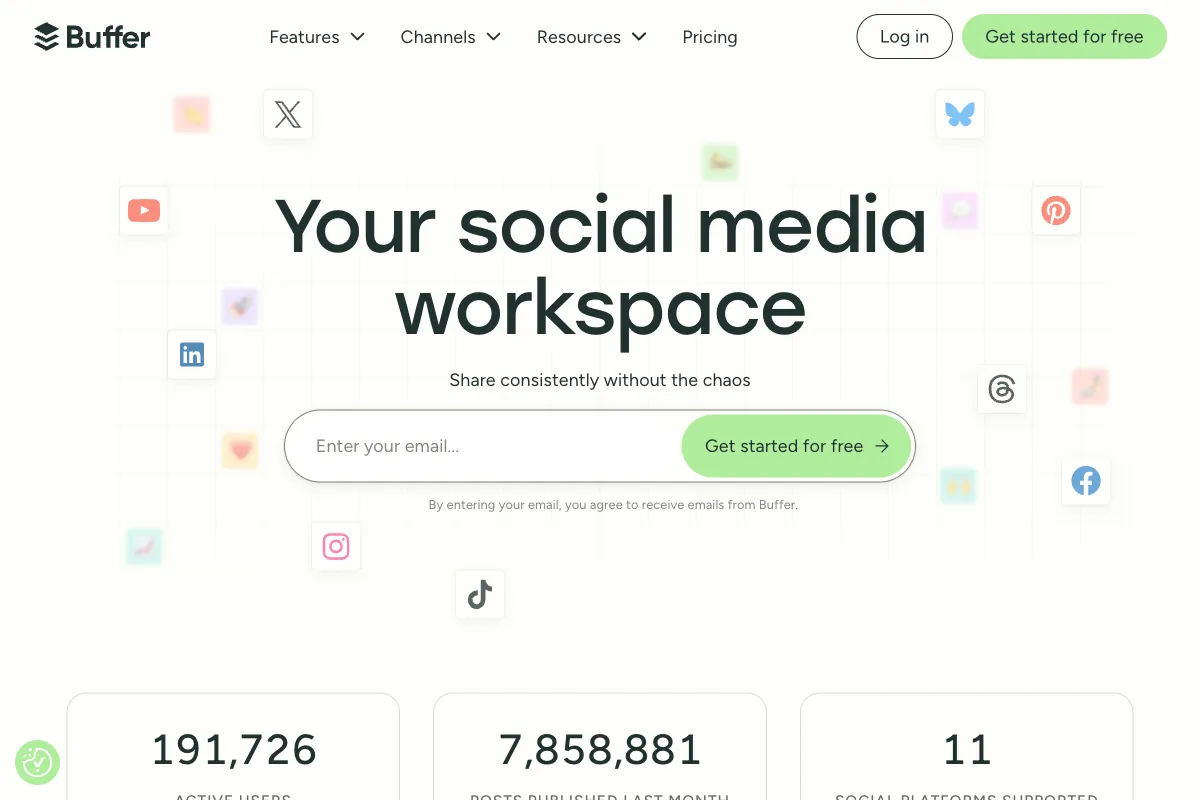
Connect Your Channels: Link your social media accounts. Buffer supports Facebook, Instagram, TikTok, LinkedIn, X (Twitter), Threads, Bluesky, YouTube Shorts, Pinterest, Google Business, and Mastodon — one of the broadest platform lists among scheduling tools.
-
Create and Schedule Posts: Use the publishing composer to write your post, attach images or video, and schedule it for a specific date and time. Buffer's AI Assistant can help you generate ideas, draft captions, repurpose content across platforms, and suggest optimal posting times.
-
Manage Your Queue: Buffer's queue system lets you set recurring time slots for each channel. Drop content into the queue and Buffer publishes it at the next available slot. This is especially useful for creators who batch-produce content.
-
Engage and Analyze: On paid plans, use the analytics dashboard to track engagement, reach, and clicks. Buffer also provides an engagement inbox to respond to comments across platforms from a single view.
How to Use Later
Later takes a more visual approach to scheduling. Here is how to get started:
-
Sign Up: Create an account at later.com. Later offers a 14-day free trial on paid plans so you can explore the full feature set before committing.
-
Connect Social Profiles: Link your Instagram, Facebook, TikTok, LinkedIn, Pinterest, and X accounts. Later organizes these into "Social Sets" — each set includes one profile per platform.
-
Upload Media to the Library: Later's media-first workflow starts with your visuals. Upload images and videos to the media library, tag and organize them, and then build posts around your content. This is a fundamental difference from Buffer's text-first composer.
-
Plan with the Visual Calendar: Drag and drop media onto the visual calendar to schedule posts. For Instagram, Later provides a grid preview so you can see exactly how your feed will look before anything goes live. This is the feature that originally made Later famous among Instagram-focused creators.
-
Use Linkin.bio: Later's Linkin.bio feature turns your Instagram feed into a clickable mini-website. Each post can link to a product page, blog article, or any URL — solving Instagram's single-link limitation and making your feed shoppable.
-
Review Analytics: Paid plans include analytics dashboards with audience demographics, post performance data, and best-time-to-post recommendations. The Growth plan and above offer up to one year of historical data.
Buffer: Pros and Cons
Pros
- Exceptionally Clean Interface: Buffer's UI is widely regarded as one of the most intuitive among scheduling tools. There is virtually no learning curve, even for non-technical users.
- Unlimited Scheduling on All Paid Plans: Unlike many competitors, once you upgrade past the free tier, there are no caps on how many posts you can queue per channel.
- Broad Platform Support: With support for 11+ platforms including Threads, Bluesky, and Mastodon, Buffer covers more networks than most competitors.
- AI Assistant Included on Every Plan: Buffer's AI Assistant is available even on the free plan with no credit limits, helping you generate captions, repurpose content, and brainstorm ideas.
- Affordable Per-Channel Pricing: At $5 per channel per month on the Essentials plan, Buffer is one of the most cost-effective options for creators managing a handful of accounts.
- Nonprofit Discount: A 50% discount for nonprofit and charity organizations makes Buffer especially accessible for mission-driven teams.
Cons
- Limited Visual Planning: Buffer does not offer a visual grid preview for Instagram. If curating your feed aesthetic is a priority, you will miss this feature.
- Basic Engagement Features: While Buffer includes an engagement inbox, it is not as robust as dedicated community management tools. Power users managing high-volume conversations may find it lacking.
- Analytics Depth: Buffer's analytics are solid for tracking core metrics, but they do not match the depth offered by enterprise-level tools like Sprout Social or Hootsuite.
- No Linkin.bio Equivalent: Buffer does not include a link-in-bio landing page builder, which means you will need a separate tool like Linktree for that functionality.
- Free Plan Limitations: The free tier is capped at 10 posts per channel and three channels total, which is tight for anyone posting daily.
Later: Pros and Cons
Pros
- Best-in-Class Visual Planning: The drag-and-drop visual calendar and Instagram grid preview are genuinely useful for brands and creators who care about feed aesthetics. No other tool does this as well.
- Linkin.bio Feature: Turning your Instagram feed into a clickable, shoppable landing page is a powerful conversion tool that sets Later apart.
- Media-First Workflow: Starting with visuals rather than text aligns naturally with how Instagram, Pinterest, and TikTok creators work.
- Hashtag Suggestions: Later generates hashtag recommendations based on your post content, saving time on research and helping extend organic reach.
- Strong Instagram and Pinterest Focus: If these platforms are your primary channels, Later's feature set is purpose-built for your workflow.
- User-Friendly Content Calendar: The calendar interface is clean and intuitive, making it easy to visualize your upcoming content at a glance.
Cons
- Post Limits on Paid Plans: Unlike Buffer, Later restricts the number of posts you can schedule per profile even on paid plans. The Starter plan allows only 30 posts per profile per month, and the Growth plan allows 150. Unlimited scheduling requires the Advanced plan at $80 per month.
- Narrower Platform Support: Later supports fewer platforms than Buffer, and its feature depth varies across networks. Instagram and Pinterest receive the most attention.
- Higher Entry Price: The Starter plan at $25 per month is significantly more expensive than Buffer's $5 per channel Essentials plan, especially for creators managing just a few accounts.
- AI Features Are Credit-Limited: Later's AI-powered Ideas tool uses a credit system on paid plans, which can feel restrictive compared to Buffer's unlimited AI access.
- Less Intuitive for Text-Heavy Content: The media-first approach is a strength for visual platforms but can feel cumbersome when scheduling text-focused posts for LinkedIn or X.
- No Free Plan: Later discontinued its free tier and now only offers a 14-day trial, which raises the barrier to entry for budget-conscious creators.
Main Use Cases
Buffer is best for:
- Creators and small businesses that need simple, reliable scheduling across many platforms
- Solopreneurs and freelancers managing content on a tight budget
- Teams that want affordable per-seat collaboration without enterprise pricing
- Anyone who values a minimal, distraction-free publishing workflow
- Organizations that post frequently and need unlimited scheduling
Later is best for:
- Instagram-first brands and influencers who need visual grid planning
- E-commerce businesses that want to make their Instagram feed shoppable via Linkin.bio
- Pinterest-focused marketers managing visual content libraries
- Agencies managing multiple brand aesthetics across social platforms
- Creators who plan content around visuals rather than text
Target Audience
Both tools are aimed squarely at content creators, social media managers, and small-to-medium businesses — but they attract somewhat different profiles.
Buffer appeals to a broader range of users thanks to its low cost and wide platform support. Solo creators, startup founders, podcasters scheduling episode promotions, and small marketing teams all find Buffer approachable and sufficient for their needs.
Later attracts a more visual, design-conscious user base. Fashion brands, food bloggers, photographers, lifestyle influencers, and e-commerce businesses that rely on Instagram and Pinterest as primary sales channels are the core Later audience. Agencies managing multiple brand identities also gravitate toward Later's visual planning tools.
Buffer vs Later: Feature Comparison
| Feature | Buffer | Later |
|---|---|---|
| Supported Platforms | 11+ (Instagram, Facebook, TikTok, LinkedIn, X, Threads, Bluesky, YouTube Shorts, Pinterest, Google Business, Mastodon) | 6 (Instagram, Facebook, TikTok, LinkedIn, Pinterest, X) |
| Visual Grid Preview | No | Yes (Instagram) |
| Post Scheduling Limits | Unlimited on paid plans | 30-150 per profile (plan-dependent); unlimited on Advanced |
| AI Assistant | Included on all plans, unlimited | Credit-based on paid plans |
| Linkin.bio | No | Yes |
| Media Library | Basic | Advanced with tagging and organization |
| Analytics | Available on Essentials and above | Available on all paid plans |
| Team Collaboration | Team plan ($10/channel/mo) | Varies by plan (1-6 users) |
| Hashtag Suggestions | No | Yes |
| Best Time to Post | Yes | Yes |
| Free Plan | Yes (3 channels, 10 posts each) | No (14-day trial only) |
| Mobile App | Yes | Yes |
Other Competitors
Buffer and Later are far from the only options. Here is how other popular scheduling tools compare in 2026:
| Competitor | Starting Price | Key Strength | Best For | Notable Limitation |
|---|---|---|---|---|
| Hootsuite | $99/month | Enterprise-grade management with 150+ integrations | Large teams and agencies | Expensive for small creators |
| Sprout Social | $249/month | Deep analytics and customer relationship management | Brands that need CRM-level social insights | Highest price point in the category |
| Planoly | $16/month | Instagram visual grid planning | Instagram-focused solopreneurs | Limited to 1 social set on Starter; no free plan |
| Publer | Free / $21/month | Affordable all-in-one scheduling with bulk uploads | Budget-conscious teams needing broad features | Smaller user community and fewer integrations |
For most independent creators and small teams, Buffer and Later remain the strongest options in terms of balancing capability with affordability. Hootsuite and Sprout Social are better suited for enterprise organizations with larger budgets, while Planoly and Publer serve niche use cases at competitive prices.
Pricing
Buffer Pricing
Buffer uses a straightforward per-channel pricing model. You pay for each social channel you connect, which means costs scale linearly with your presence. Annual billing saves approximately 20%.
| Plan | Monthly Price | Channels | Key Features |
|---|---|---|---|
| Free | $0 | Up to 3 | 10 posts per channel, basic publishing tools, AI Assistant |
| Essentials | $5/channel/month | Unlimited | Unlimited scheduling, analytics, engagement tools, hashtag manager |
| Team | $10/channel/month | Unlimited | Everything in Essentials + unlimited team members, approval workflows, draft collaboration |
For a creator managing five channels, the Essentials plan costs $25 per month — still less than Later's entry-level Starter plan. For pricing details, visit the Buffer pricing page.
Later Pricing
Later uses a flat-rate model based on the number of social sets (one profile per platform) and users. Annual billing offers roughly a 17% discount.
| Plan | Monthly Price | Social Sets | Users | Posts per Profile |
|---|---|---|---|---|
| Starter | $25/month | 1 | 1 | 30/month |
| Growth | $45/month | 3 | 3 | 150/month |
| Advanced | $80/month | 6 | 6 | Unlimited |
| Agency | $200+/month | 15+ | Custom | Unlimited |
The cost difference is substantial at the lower tiers. A solo creator on Later's Starter plan pays $25 per month for one social set with 30 posts per profile, while the same creator on Buffer Essentials could manage five channels with unlimited scheduling for the same price. Later's value proposition strengthens at higher tiers where the visual planning tools, Linkin.bio, and advanced analytics justify the premium. For full details, visit the Later pricing page.
Generate Clips to Fill Your Content Calendar with Viral Clips

Whether you choose Buffer or Later, both tools solve the same fundamental problem: getting your content posted consistently. But the bigger challenge for most creators is not scheduling — it is having enough quality content to schedule in the first place. If you produce long-form videos, podcasts, interviews, or webinars, you are sitting on a goldmine of short-form clips that could fill your social calendar for weeks.
This is where Viral Clips fits into your workflow. Upload your long-form video and the AI automatically identifies the most engaging moments, reframes them to vertical format, adds captions, and delivers ready-to-post short clips in minutes. Instead of manually scrubbing through hours of footage to find the right 60-second segment, you get a batch of platform-optimized clips that you can drop straight into Buffer or Later and schedule across all your channels.
The combination is powerful: use Viral Clips to generate the content, then use your scheduling tool of choice to distribute it consistently. No more staring at an empty content calendar wondering what to post. Try it at viralclips.video.