Descript Review 2026: AI Text-Based Video & Podcast Editing Platform
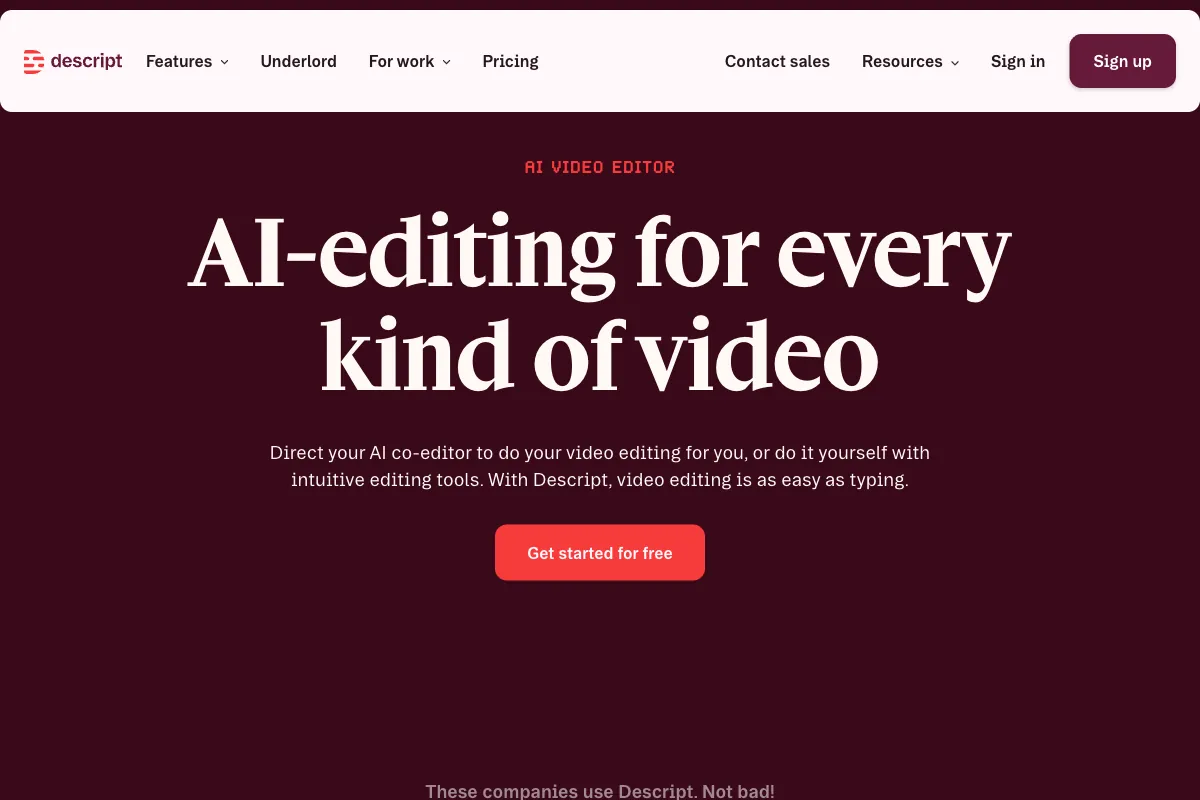
What if editing a video was as simple as editing a document? That is the core promise behind Descript, an AI-powered editing platform that lets you cut, rearrange, and polish video and audio by working directly with the transcript text. Since its founding, Descript has grown into one of the most talked-about tools among podcasters, YouTubers, and content creators who want professional results without the steep learning curve of traditional editing software. In this review, we take a deep look at how Descript works, what it does well, where it falls short, who it is best suited for, how it compares to competitors, and whether its pricing justifies the investment in 2026.
How to Use Descript
Getting started with Descript is refreshingly simple compared to conventional video editors. Here is a step-by-step walkthrough of the typical workflow:
-
Sign Up and Install: Create a free account at descript.com. Descript offers a desktop application for both Mac and Windows, as well as a browser-based editor for lighter tasks. Download the app and log in to access the full feature set.
-
Import Your Media: Drag in your video or audio file, or use Descript's built-in screen recorder or Descript Rooms to capture 4K multitrack recordings directly within the platform. You can also import from cloud storage or paste a link.
-
Automatic Transcription: Once your media is loaded, Descript's AI transcription engine processes the audio and generates a full text transcript. It supports multiple languages and typically delivers results in minutes, even for lengthy recordings.
-
Edit by Editing Text: This is where Descript truly stands apart. The transcript and timeline are linked — highlight a sentence in the transcript and delete it, and the corresponding audio and video are removed automatically. Rearrange paragraphs to restructure your content. It feels like editing a Google Doc, but the video follows every change you make.
-
AI-Powered Enhancements: Use the Underlord AI Co-Editor (introduced in August 2025) to automate tasks like removing filler words ("um," "uh," "like"), cleaning up audio with Studio Sound noise removal, correcting eye contact with AI Eye Contact, and removing backgrounds with AI Green Screen. Overdub lets you generate voice clones to fix or insert new narration without re-recording.
-
Add Finishing Touches: Apply dynamic captions, add royalty-free stock media from the built-in library, insert transitions, and use Brand Studio to maintain visual consistency with your brand's fonts, colors, and logos. Multicam editing support lets you switch between camera angles seamlessly.
-
Export and Publish: Export your finished project in up to 4K resolution (on Creator plans and above), or use Social Clips AI to automatically generate platform-optimized short clips. Descript can also generate chapters, blog posts, and translations/dubbing in over 30 languages directly from your content.
The entire process is designed to collapse what traditionally takes hours in a timeline editor into a fraction of the time, especially for dialogue-heavy content like podcasts, interviews, and coaching sessions.
Pros and Cons of Descript
Based on extensive user feedback across review platforms (G2: 4.6/5 from ~848 reviews, Capterra: 4.7/5 from ~178 reviews, TrustRadius: 9.2/10, Trustpilot: ~4/5), here is a balanced assessment of Descript's strengths and weaknesses.
Pros
- Revolutionary Text-Based Editing: The ability to edit video and audio by editing text is genuinely transformative. It removes the intimidation factor of traditional timelines and makes editing accessible to anyone who can use a word processor.
- Massive Time Savings: Users consistently report saving 60-70% of the time they would spend in conventional editors. For podcasters and interview-based creators, this is a game-changer.
- Comprehensive AI Feature Set: From filler word removal and Studio Sound to Overdub voice cloning, AI Eye Contact, AI Green Screen, dynamic captions, translation/dubbing, and the Underlord AI Co-Editor, Descript packs an impressive range of AI capabilities into a single platform.
- All-in-One Solution: Recording (screen capture + Rooms), transcription, editing, collaboration, and publishing all live under one roof. There is no need to bounce between five different tools.
- Real-Time Collaboration: Multiple team members can work on the same project simultaneously, similar to collaborating in Google Docs. This is invaluable for production teams.
- Low Learning Curve: Non-technical users can produce polished content quickly. The interface is intuitive and well-documented.
Cons
- Performance and Reliability Issues: Several users report sluggish performance with longer projects, occasional crashes, and bugs — particularly after major updates. The desktop app can be resource-intensive.
- Video Quality Compression on Export: Some users notice a loss in video quality upon export, especially at lower-tier plans limited to 1080p. This can be a dealbreaker for creators who prioritize visual fidelity.
- Not a Replacement for Advanced Editors: If you need complex motion graphics, color grading, or multi-layer compositing, Descript is not the right tool. It excels at dialogue content but lacks the depth of Adobe Premiere Pro or DaVinci Resolve.
- Disruptive Updates: The platform evolves rapidly, which is generally positive, but some users find that updates change workflows or introduce temporary instability.
- AI Credits Feel Restrictive: Many AI features consume credits from a monthly allowance that does not roll over. Heavy users on lower plans can burn through credits quickly, and the lack of rollover feels punitive.
- Transcription Accuracy Is Not Perfect: While generally good, transcription can struggle with heavy accents, overlapping speakers, or technical jargon, requiring manual corrections.
Main Use Cases
Descript is purpose-built for content that revolves around the spoken word. Its strongest applications include:
- Podcast Production: Record, edit, and publish entire podcast episodes without touching a traditional timeline. Remove filler words, clean up audio, add intros/outros, and generate show notes automatically.
- YouTube Video Editing: Edit talking-head videos, tutorials, and vlogs by working with the transcript. Add captions, B-roll from the stock library, and export platform-ready content.
- Online Course and Coaching Content: Course creators and coaches can quickly edit lecture recordings, webinars, and coaching calls into polished modules.
- Social Media Clip Creation: Use Social Clips AI to extract short-form highlights from longer content for TikTok, Instagram Reels, and YouTube Shorts.
- Corporate and Internal Communications: Teams can collaboratively produce training videos, presentations, and internal updates with consistent branding via Brand Studio.
- Journalism and Interviews: Transcription-first editing is a natural fit for journalists working with interview footage, enabling fast turnaround on story production.
- Translation and Localization: Dub and translate content into 30+ languages to reach international audiences without re-shooting.
Target Audience
Descript is best suited for:
- Podcasters (primary audience): The text-based editing paradigm was designed with podcasters in mind, and it shows. This is the segment where Descript delivers the most value.
- YouTubers and Video Creators: Especially those producing dialogue-heavy content like tutorials, interviews, and commentary videos.
- Course Creators and Coaches: Anyone producing educational or coaching content benefits from the speed and simplicity.
- Social Media Managers: Teams managing content calendars across platforms appreciate the all-in-one workflow and Social Clips feature.
- Freelance Editors: Editors serving multiple clients can leverage collaboration features and templates for efficiency.
- Small Business Owners: Those who need to produce marketing videos without hiring a production team or learning complex software.
- Journalists and Media Professionals: Fast transcription and text-based editing align perfectly with deadline-driven workflows.
Descript is less ideal for professional film editors, VFX artists, or anyone requiring granular timeline control, advanced color grading, or complex compositing.
Main Competitors and Their Pros and Cons
The video and podcast editing landscape is competitive. Here is how Descript stacks up against key alternatives in 2026:
| Competitor | Key Strength | Pricing | Best For | Notable Limitation |
|---|---|---|---|---|
| Adobe Premiere Pro | Industry-standard timeline editing | ~$23/month | Professional video editors | Steep learning curve, no text-based editing |
| Final Cut Pro | Powerful Mac-native editor | $300 one-time | Apple ecosystem power users | Mac-only, no collaboration features |
| DaVinci Resolve | Professional color grading + free tier | Free / $295 one-time | Color-critical and advanced editing | Complex interface, heavy system requirements |
| Riverside | High-quality remote recording | $24/month (Pro) | Remote podcast and interview recording | Editing features less mature than Descript |
| CapCut | Free mobile-first editing | Free / Pro available | Social media short-form content | Limited for long-form or podcast workflows |
| Otter.ai | AI meeting transcription | Free / $17+/month | Meeting notes and transcription | Not a video editor |
| Kapwing | Browser-based collaborative editing | Free / $16+/month | Quick online edits and teams | Less powerful AI features |
| Opus Clip | AI-powered viral clip generation | Free / $19+/month | Automated short-form repurposing | No full-length editing capability |
Descript occupies a unique niche: it is not trying to be a Premiere Pro replacement, but rather a fundamentally different approach to editing that is faster and more accessible for content where dialogue is the backbone.
Pricing
Descript uses a tiered subscription model with monthly AI credit allowances. Here are the plans as of 2026 (monthly billing rates, with annual discounts available):
| Plan | Monthly Price | Annual Price | Media Minutes | AI Credits | Resolution | Users |
|---|---|---|---|---|---|---|
| Free | $0 | $0 | 60 min/month | 100 (one-time) | Watermarked | 1 |
| Hobbyist | $24/month | $16/month | 600 min/month | 400/month | 1080p | 1 |
| Creator | $35/month | $24/month | 1,800 min/month | 800/month | 4K | Up to 3 |
| Business | $65/month | $50/month | 2,400 min/month | 1,500/month | 4K | Up to 5 |
| Enterprise | Custom | Custom | Custom | Custom | 4K | Custom |
Descript also offers an Education & Non-Profit plan at $12/editor/month ($8/month billed annually), making it an attractive option for academic and mission-driven organizations.
Key pricing considerations: AI credits do not roll over month to month, which means unused credits are lost. For creators who produce content in bursts rather than steadily, this can feel wasteful. The free tier is useful for testing but limited by watermarks and the one-time credit allotment. Most serious users will want to start at the Hobbyist plan at minimum.
For full pricing details, visit the Descript pricing page.
Streamline Your Podcast Workflow with Viral Clips

Descript is an excellent tool for polishing your full-length podcast episodes, interviews, and video content. But once your episode is edited and published, there is still the challenge of extracting the best moments and turning them into short, engaging clips for social media — a process that can be surprisingly time-consuming even with Descript's Social Clips feature, which still requires manual review and selection.
This is where Viral Clips fits perfectly into your workflow. While Descript excels at polishing your full-length content, Viral Clips picks up where it leaves off — automatically identifying the most engaging moments and turning them into ready-to-post social clips. The AI analyzes your entire recording for viral-worthy segments, reframes to vertical format, adds captions, and delivers optimized clips in minutes.
For podcasters, coaches, and interview-based creators, the ideal workflow is straightforward: use Descript to edit and produce your full episode, then feed it to Viral Clips to generate a week's worth of social media content automatically. No manual scrubbing through timelines, no guessing which moments will resonate — the AI handles it. Try it at viralclips.video.