Submagic Review: AI Animated Captions and Viral Shorts Tool in 2026
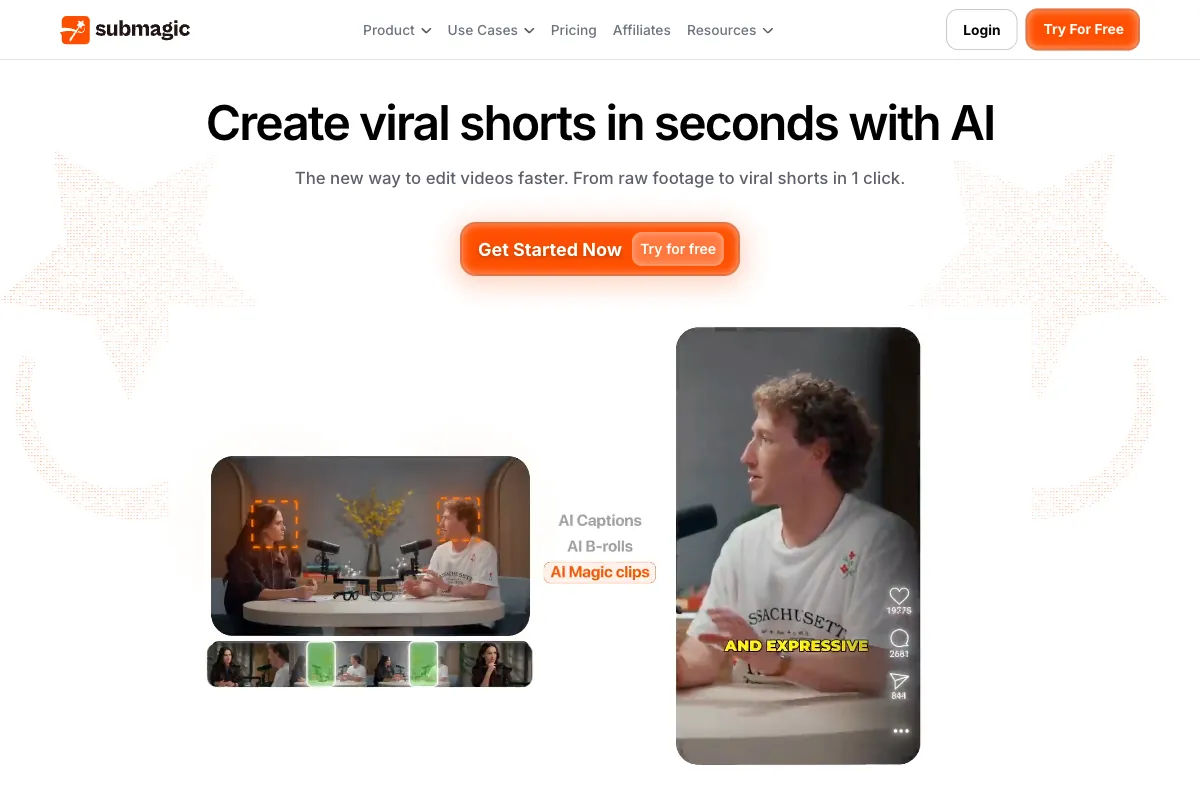
Short-form video has become the dominant format across every major social platform, and captions are no longer optional. With most viewers scrolling through feeds on mute, animated subtitles have turned into the single most effective way to stop the scroll and hold attention. Submagic has carved out a sharp niche in this space by focusing on one thing and doing it exceptionally well: turning raw short-form clips into polished, caption-driven content ready for TikTok, Instagram Reels, and YouTube Shorts. Founded in 2023 by Tsi-fei Chan and David Zitoun in Paris, France, Submagic combines AI-powered transcription with trendy animated caption styles, automatic emoji insertion, Magic B-Roll overlays, and a growing suite of tools that now includes Magic Clips for extracting highlights from longer content. With a reported 98.8% caption accuracy across 48+ languages and a workflow designed to produce finished videos in under two minutes, it has quickly attracted a loyal following among creators who value speed and visual impact. This review covers how the tool works, what it does well, where it falls short, who it is built for, how it stacks up against competitors, and whether the pricing makes sense for your content production needs.
How to Use Submagic
Submagic is built around a streamlined, browser-based workflow that requires no software installation and minimal learning. The entire process from upload to export typically takes under two minutes for a standard short-form clip.
-
Sign Up and Upload: Head to submagic.co and create an account. The free plan lets you explore the tool without entering a credit card -- you get up to 3 videos per month with a maximum duration of 1 minute 30 seconds each. Upload your video file directly or paste a link. Submagic supports common formats and is optimized for vertical short-form content.
-
AI Transcription and Caption Generation: Once your video is uploaded, Submagic's AI engine transcribes the audio with 98.8% accuracy in 48+ languages. The transcription happens in seconds and forms the foundation for everything that follows. You can review and edit the transcript directly if any corrections are needed, though manual fixes are rarely necessary.
-
Choose a Caption Style: This is where Submagic shines. The platform offers dozens of trendy, animated caption templates -- bold kinetic text, color-highlighted keywords, gradient effects, bounce animations, and more. Each style is designed to mirror the visual language that performs best on TikTok and Reels. Preview styles in real time and swap between them with a single click.
-
Add Emojis and Effects: Submagic automatically suggests contextually relevant emojis that appear alongside your captions. These animated emoji overlays add personality and visual variety without manual placement. You can customize which emojis appear or disable them entirely.
-
Apply Magic B-Roll: The Magic B-Roll feature inserts relevant stock footage clips from the Storyblocks library at contextually appropriate moments in your video. Hit the "Magic B-rolls" button and the AI handles placement automatically, or manually insert B-roll at specific timestamps. Transitions between your footage and B-roll clips are smoothed with animated effects.
-
Use Magic Clips (Optional Add-On): If you are working with longer content, the Magic Clips V2 feature analyzes your video and automatically extracts 20+ potential viral segments. The AI scores each clip based on engagement potential, identifying hooks, emotional peaks, and compelling standalone moments. This add-on is available for $12/month on top of any paid plan.
-
Export and Share: Download your finished video in up to 4K resolution and 60 FPS (on the Business plan) or export at standard quality on lower tiers. Videos on paid plans are watermark-free.
The entire interface is designed for speed. There are no complex timelines, no multi-track audio layers, and no steep learning curves. If you know what a caption style looks like and can click a button, you can use Submagic effectively on your first try.
Pros and Cons of Submagic
After testing the platform extensively and reviewing feedback from creators on G2, Product Hunt, and Trustpilot, here is what stands out about Submagic in 2026.
Pros
-
Stunning Animated Captions: Submagic's core strength is the quality and variety of its caption styles. The animated text templates are among the best available in any tool -- they look native to TikTok and Reels, with smooth word-by-word animations, color highlights, and kinetic effects that genuinely make videos more engaging. This is not generic subtitle generation; it is purpose-built visual design for short-form social.
-
Extremely Fast Processing: Upload to export in under two minutes is a realistic expectation for most clips. The transcription is near-instant, style application is real-time, and rendering is fast even on the free plan. For creators producing multiple pieces of content per day, this speed is a meaningful advantage.
-
Magic B-Roll Saves Real Time: Manually sourcing and placing B-roll footage is one of the most tedious parts of short-form editing. Submagic's one-click Magic B-Roll feature draws from the Storyblocks library to insert contextually relevant clips automatically. The results are not always perfect, but they are good enough to significantly reduce production time.
-
High Caption Accuracy: The 98.8% accuracy claim holds up in practice. Across English and several European languages, the AI transcription rarely requires manual correction. Support for 48+ languages makes it viable for international creators.
-
Simple, Intuitive Interface: There is virtually no learning curve. The browser-based editor is clean, focused, and free of the complexity that weighs down full-featured video editors. This is a genuine advantage for creators who want polished output without mastering editing software.
-
Automatic Emoji Insertion: The contextual emoji feature adds visual flair that would otherwise require manual effort. The AI does a reasonable job of placing relevant emojis at appropriate moments, and unwanted ones are easy to remove.
-
Magic Clips V2 for Long-Form Repurposing: The optional Magic Clips add-on extends Submagic beyond pure caption styling into the clip extraction space. The AI scoring system for engagement potential helps creators identify which moments from longer recordings are worth turning into standalone shorts.
Cons
-
Primarily a Captions Tool, Not a Full Editor: Submagic does not offer timeline editing, multi-track audio, color grading, transitions beyond B-roll, or any of the deeper editing capabilities you would find in CapCut, Descript, or Premiere Pro. If you need to trim, rearrange, or fundamentally restructure your video, you will need another tool.
-
Pricing Feels Steep for the Scope: At $19/month for Basic (just 10 videos/month) and $39/month for Pro, the cost-per-video can be high compared to tools like CapCut that offer more features for free. You are paying primarily for caption quality and speed, which is a fair value proposition for high-volume creators but harder to justify for occasional use.
-
Video Duration and Count Limits: Each plan caps both the number of videos per month and the maximum duration per video. The free plan is limited to 1 minute 30 seconds and 3 videos. Even the Pro plan caps at 40 videos and 5 minutes per clip. Creators working with longer content will need the Business tier or the Magic Clips add-on.
-
Billing and Auto-Renewal Complaints: Multiple reviewers on Trustpilot cite frustration with auto-renewal charges and difficulty canceling subscriptions. Some users report being charged after they believed they had canceled, and customer support responses on billing issues have been described as slow.
-
Limited Customization Beyond Presets: While the caption styles are excellent, deep customization options are limited. You are largely choosing from pre-built templates rather than building your own from scratch. Creators with very specific brand guidelines may find the flexibility insufficient.
-
B-Roll Quality Varies: The Magic B-Roll feature is convenient but not always contextually accurate. The AI sometimes inserts footage that does not match the topic well, and the stock clip selection -- while extensive -- can feel generic. Manual review and replacement is often necessary.
Main Use Cases
Submagic is purpose-built for short-form, caption-driven content. Its sweet spot covers these specific workflows:
-
TikTok, Reels, and Shorts Production: The primary use case. Creators producing daily or weekly short-form content for social platforms benefit most from the speed, caption quality, and visual polish Submagic delivers. The tool is optimized specifically for the aesthetic and format requirements of these platforms.
-
Podcast and Interview Clip Styling: After extracting clips from longer recordings (using a separate tool or Magic Clips), Submagic adds the animated captions, emojis, and B-roll that turn a basic talking-head clip into something visually competitive in social feeds.
-
Course and Tutorial Promotion: Educators and course creators producing short promotional clips benefit from accurate multi-language captions that improve both accessibility and engagement.
-
Brand Content and Marketing Clips: Social media managers producing high volumes of branded short-form content use Submagic to maintain a consistent, polished caption style across all posts without requiring design or editing expertise.
-
Content Accessibility: Adding accurate, stylized captions ensures content is accessible to deaf and hard-of-hearing viewers and performs better on platforms where most video is consumed without sound.
-
Repurposing Long-Form Content: With Magic Clips V2, creators can feed in longer videos -- webinars, live streams, podcast episodes -- and let the AI identify and extract the most engaging segments, then apply Submagic's caption styling for distribution.
Target Audience
Submagic is designed for creators and marketers who need caption-forward, visually engaging short-form video -- fast:
- Short-Form Content Creators: TikTokers, Reels creators, and Shorts producers who post frequently and need professional-looking animated captions without manual editing.
- Social Media Managers: Professionals managing multiple brand accounts who need to produce high volumes of captioned content consistently and quickly.
- Podcasters and Interview Hosts: Creators repurposing audio and video conversations into captioned social clips.
- Coaches, Consultants, and Educators: Professionals creating promotional and educational short-form content who value speed over editing control.
- Small Business Owners: Entrepreneurs producing their own social media content who need polished results without editing skills.
- Marketing Agencies: Teams handling social content production for multiple clients who benefit from fast, template-driven caption styling.
Submagic is less suited for professional video editors who need timeline control, filmmakers working on narrative projects, or anyone whose primary need is long-form video editing rather than short-form caption styling.
Main Competitors and Their Pros and Cons
Submagic competes in the AI-powered short-form video and caption generation space. Here is how it compares to the major alternatives:
| Competitor | Pros | Cons | Starting Price |
|---|---|---|---|
| Captions.ai | Best-in-class mobile editing; AI dubbing with lip-sync in 29+ languages; eye contact correction; comprehensive feature set | Audio sync issues reported; credit system is unpredictable; iOS-first bias; weak customer support | Free (Pro: $9.99/mo) |
| CapCut | Completely free with no watermarks; powerful desktop and mobile apps; massive template and effects library; TikTok integration | ByteDance ownership raises data privacy concerns; less advanced AI automation; limited AI dubbing | Free (Pro: $7.99/mo) |
| VEED.io | Browser-based; strong subtitle and transcription tools; team collaboration features; clean interface | Expensive at higher tiers; limited mobile experience; rendering can be slow on longer videos | Free (Pro: $18/mo) |
| Opus Clip | Best-in-class long-to-short AI clipping; virality scoring; auto-reframing; direct social publishing | Not a full editor; limited caption styling compared to Submagic; credit-based pricing | $15/mo |
| Descript | Revolutionary text-based editing; excellent transcription; screen recording; podcast-focused features | Desktop-only; steep learning curve; less focused on short-form social styling | $24/mo |
Submagic differentiates itself through the quality and speed of its animated caption styles. CapCut is the strongest free alternative with broader editing capabilities. Captions.ai offers a more comprehensive mobile editing suite. Opus Clip is better for the upstream task of extracting clips from long-form content. Descript appeals to podcasters and creators who want text-based editing workflows.
Pricing
Submagic offers four tiers with both monthly and annual billing. Annual plans provide up to 41% savings. All paid plans remove the Submagic watermark.
| Plan | Monthly Price | Annual Price (per month) | Videos/Month | Max Duration | Key Features |
|---|---|---|---|---|---|
| Free | $0 | $0 | 3 | 1 min 30 sec | Basic captions, watermarked exports, explore features |
| Basic | $19/mo | $12/mo | 10 | 2 min | Watermark-free, animated captions, emoji overlays |
| Pro | $39/mo | $23/mo | 40 | 5 min | All Basic features plus trendy templates, Storyblocks B-Roll and audio, custom styles |
| Business | $69/mo | $41/mo | Unlimited | 30 min | All Pro features plus 4K and 60 FPS export, unlimited processing, priority support |
The optional Magic Clips add-on costs an additional $12/month and is compatible with the Basic, Pro, and Business plans. It enables AI-powered clip extraction from long-form videos.
For creators posting 3-5 short videos per week, the Pro plan at $39/month (or $23/month annually) typically offers the best balance of volume and features. The Business plan makes sense for agencies or creators working with longer content who need unlimited processing and maximum export quality.
One thing to note: while Submagic's per-month cost may seem high relative to broader editing tools, the value calculation shifts when you factor in time savings. If Submagic cuts your per-video caption and styling workflow from 15 minutes down to 2 minutes, the cost justifies itself quickly at volume.
For full pricing details and current promotions, visit the Submagic pricing page.
Find the Best Clips from Your Podcasts Automatically with Viral Clips

Submagic is exceptional at the styling layer -- turning a short clip into a visually polished, caption-driven piece of content that looks native to TikTok, Reels, and Shorts. But if you are sitting on hours of podcast episodes, coaching calls, webinars, or long interviews, the harder problem is not styling -- it is finding the moments worth styling in the first place. That is exactly what Viral Clips solves.
Viral Clips analyzes your full-length conversational content and automatically extracts the most engaging moments using AI that identifies hooks, emotional peaks, complete narrative arcs, and shareable insights. Upload a two-hour podcast episode, and Viral Clips delivers 5 to 30 ready-to-post clips in 20 to 30 minutes -- each one selected because it has standalone viral potential.
Why pair Viral Clips with Submagic:
- AI-powered viral moment detection surfaces the clips that are actually worth polishing, so you are not spending time captioning content that will not perform.
- Supports videos from 5 minutes to 4 hours, covering podcast episodes, live recordings, coaching sessions, and long-form interviews.
- Credit-based pricing starts at $20/month for 200 credits (approximately 3 hours of processed video yielding around 60 clips), or $200/year for 4,000 credits.
- Editor-agnostic output means you can take your extracted clips directly into Submagic for caption styling, or into any other editing tool.
The ideal workflow: run your long-form recordings through Viral Clips to identify the strongest moments, then bring those clips into Submagic to add animated captions, emojis, B-roll, and platform-ready formatting. Together they cover the complete pipeline from raw recording to viral-ready short -- without requiring you to watch hours of footage or learn complex editing software. Visit Viral Clips to start a 3-day free trial with 20 credits included.