Vizard.ai Review 2026: AI Video Clipping and Editing for Short-Form Content
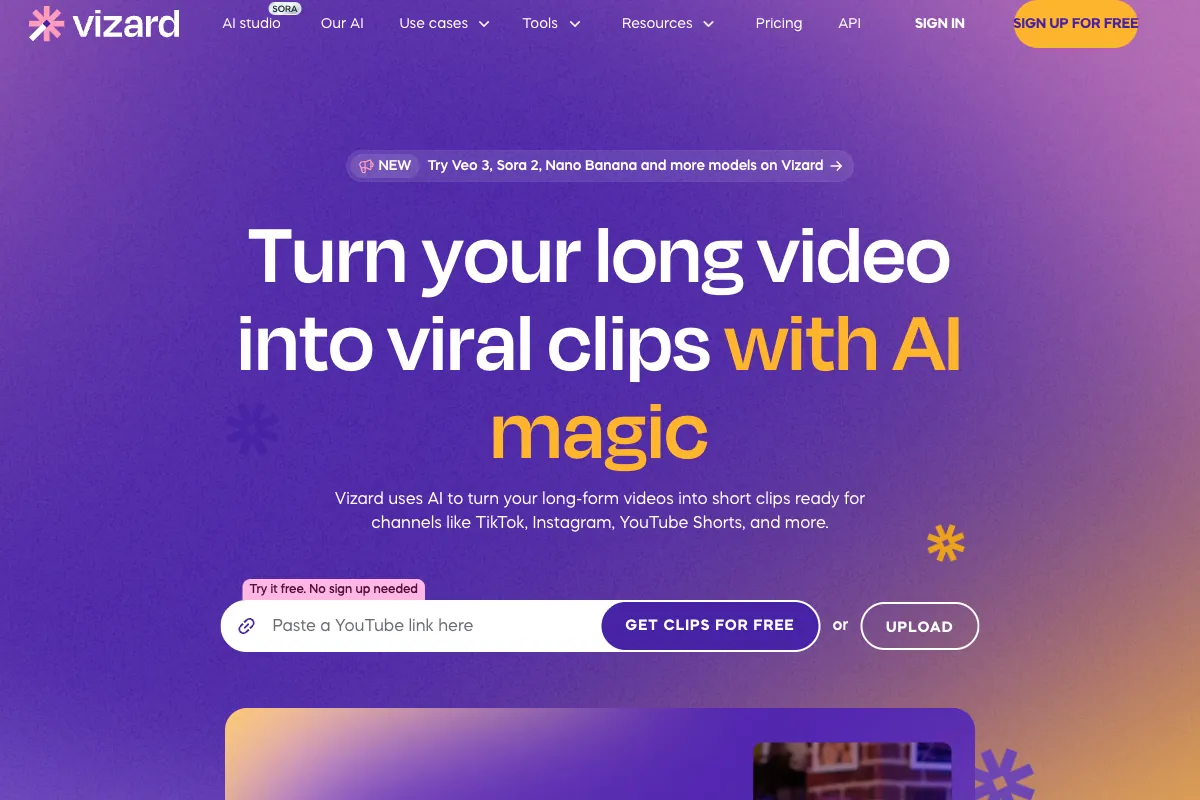
Long-form video is one of the most valuable content formats a creator or business can produce, but its real potential is unlocked when those recordings are repurposed into short, platform-optimized clips for TikTok, Instagram Reels, YouTube Shorts, and LinkedIn. Doing this manually is time-consuming and tedious. Vizard.ai is an AI-powered video editing and clipping platform built to solve exactly this problem. It automatically analyzes your videos, identifies the most engaging moments, reframes them for vertical formats, adds captions, and delivers ready-to-publish clips in minutes rather than hours. Since its launch, Vizard has grown into one of the most popular tools in the AI clipping space, serving content creators, marketing teams, agencies, and podcasters who need to turn a single long recording into a week's worth of social media content. In this review, we take a detailed look at how Vizard.ai works, what it does well, where it falls short, who it is best suited for, how it compares to the competition, and whether its pricing makes sense for your workflow in 2026.
How to Use Vizard.ai
Getting started with Vizard.ai is designed to be fast and approachable, even for users with no video editing experience. Here is a step-by-step walkthrough of the typical workflow:
-
Sign Up and Log In: Create a free account at vizard.ai. The free plan gives you immediate access to the core AI clipping features so you can test the platform before committing to a paid tier.
-
Upload Your Video: Import your long-form video by uploading a file directly, pasting a YouTube or video URL, or connecting cloud storage. Vizard supports a wide range of formats and handles videos up to several hours long. Supported upload sizes vary by plan, with higher tiers offering more generous upload minute allowances.
-
AI Analysis and Clip Generation: Once your video is uploaded, Vizard's AI engine goes to work. It transcribes the audio, analyzes the content for high-engagement moments, detects individual speakers, and automatically generates a set of short clips. The AI uses speaker boundary detection to produce clean cuts around speaker transitions, which is especially important for podcasts, interviews, and panel discussions where mid-sentence cuts would feel jarring.
-
Review and Edit Clips: Browse the generated clips in the dashboard. Each clip comes with a transcript, and you can edit the video by editing the text. Delete a sentence from the transcript and the corresponding video segment is removed. You can adjust clip start and end points, change aspect ratios (9:16 vertical, 1:1 square, 16:9 landscape, and more), and fine-tune the AI's auto-reframing to ensure the active speaker stays centered.
-
Add Captions and Branding: Vizard automatically generates subtitles and supports translation into over 100 languages. You can customize caption styles, apply brand templates with your logo, colors, and fonts, and add animated B-rolls using the new AI Studio feature introduced in early 2026.
-
AI Studio Enhancements (New in 2026): The recently launched AI Studio brings text-to-video and text-to-image generation directly into the editor. You can generate visuals using leading AI models like Imagen 3, FLUX 1.1 Pro, and Stable Diffusion 3.5, then insert them into your timeline in one click. This eliminates the need to switch to external design tools for supplementary visuals.
-
Export and Distribute: Download your finished clips in up to 4K resolution (on paid plans) without watermarks, or use the built-in social scheduler to publish directly to your connected platforms. Batch processing allows you to export multiple clips simultaneously, saving additional time.
The entire process from upload to finished clips typically takes just a few minutes, making it possible to generate a full set of social media content during a single coffee break.
Pros and Cons of Vizard.ai
Based on user reviews across G2, Capterra, and Software Advice, as well as hands-on testing, here is a balanced assessment of what Vizard.ai does well and where it could improve.
Pros
- Fast and Accurate AI Clipping: The AI consistently identifies engaging moments and produces usable clips with minimal manual intervention. Speaker boundary detection produces noticeably cleaner cuts compared to competitors that clip mid-sentence.
- Multi-Aspect Ratio Support: Easily reframe clips for any platform. Switch between vertical, square, and landscape formats without starting from scratch, and the AI automatically adjusts framing to keep the active speaker in focus.
- Text-Based Editing: Editing video by editing the transcript is intuitive and dramatically lowers the barrier to entry. You do not need to learn a traditional timeline editor to produce polished clips.
- Multilingual Captions and Translation: Auto-generated subtitles in 100+ languages make it easy to reach global audiences. Caption styles are customizable and on-brand.
- AI Studio for Generative Content: The 2026 addition of text-to-video and text-to-image generation within the editor is a genuine differentiator, allowing creators to add B-rolls and visuals without leaving the platform.
- User-Friendly Interface: The dashboard is clean and well-organized. New users can produce their first set of clips within minutes of signing up, with no tutorial required.
- Team Collaboration: Shared workspaces, brand kits, and multi-seat plans make Vizard viable for agencies and marketing teams, not just solo creators.
- Built-In Audio Enhancement: Filler word removal and studio-quality audio cleanup are available directly within the editor, reducing the need for separate audio processing tools.
Cons
- Limited Advanced Editing Capabilities: While the text-based editor is excellent for clip-level adjustments, it does not replace a full-featured editor like Premiere Pro or DaVinci Resolve. Complex transitions, motion graphics, and multi-layer compositing are not available.
- Subscription Required for Core Features: The free plan is useful for testing but comes with watermarks, limited exports (10 per month), and 720p resolution. Serious use requires a paid subscription.
- AI Clips Sometimes Need Manual Adjustment: While the AI is generally accurate, some generated clips start or end at suboptimal points, include irrelevant tangents, or miss the best moments entirely. Expect to review and tweak a percentage of the output.
- Processing Times for Long Videos: Very long recordings (2+ hours) can take noticeable time to process, particularly on lower-tier plans that do not include priority AI processing.
- No Offline or Desktop Application: Vizard is entirely browser-based. While this means no installation is required, it also means you are dependent on a stable internet connection and cannot work offline.
- Credit and Minute Limits: Upload minutes and export allowances are capped by plan tier. Heavy users or agencies processing high volumes of content may find themselves bumping against limits.
Main Use Cases
Vizard.ai is purpose-built for content repurposing workflows. Its strongest applications include:
- Podcast Repurposing: Upload a full podcast episode and let the AI extract the most quotable, shareable moments as vertical clips. Speaker detection ensures clean cuts between hosts and guests.
- Webinar and Conference Clip Creation: Turn hour-long webinar recordings or conference talks into a library of short, topic-specific clips for LinkedIn, Twitter/X, and YouTube Shorts.
- YouTube Long-Form to Shorts Pipeline: YouTubers producing tutorials, reviews, or commentary can automatically generate Shorts from their existing uploads, extending reach without additional recording.
- Social Media Content Calendars: Marketing teams can process a single long video into dozens of clips, schedule them across platforms, and maintain a consistent posting cadence for weeks.
- Course and Training Material Clips: Educators and corporate trainers can break down lengthy training videos into focused micro-learning segments.
- Interview Highlights: Journalists, recruiters, and media teams can extract key moments from interviews for promotional or editorial use.
Target Audience
Vizard.ai serves a broad range of users, but delivers the most value for:
- Content Marketers: Teams responsible for maintaining social media presence across multiple platforms benefit from the batch processing and scheduling features.
- Podcasters: The speaker detection and clean-cut AI clipping are specifically designed for dialogue-driven content, making Vizard one of the strongest tools in this category.
- YouTube Creators: Those looking to repurpose long-form uploads into Shorts without manual editing.
- Agencies and Production Teams: Multi-seat plans, brand kits, and shared workspaces make Vizard a practical choice for teams managing content for multiple clients.
- Course Creators and Coaches: Anyone producing educational or coaching content can quickly slice recordings into digestible segments.
- Small Business Owners: Non-technical users who need professional social clips without hiring an editor or learning complex software.
Vizard is less suited for professional video editors who need granular timeline control, advanced color grading, or complex visual effects.
Main Competitors and Their Pros and Cons
The AI video clipping and repurposing space has become increasingly competitive. Here is how Vizard.ai compares to its key alternatives in 2026:
| Competitor | Key Strength | Pricing | Best For | Notable Limitation |
|---|---|---|---|---|
| Opus Clip | Virality Score prediction and trend-aware AI | Free / Starter $15/mo / Pro $29/mo | Entertainment and viral content creators | Limited advanced editing; credit-based system runs out quickly |
| Descript | Text-based editing with Overdub voice cloning and full podcast production | Free / Hobbyist $24/mo / Creator $35/mo | Podcasters and teams needing full-length editing + collaboration | Not a dedicated clipping tool; heavier learning curve for advanced features |
| CapCut | Free mobile-first editing with trending templates | Free / Pro available | TikTok and Reels creators on mobile | Limited for long-form repurposing; lacks AI clipping automation |
| Submagic | Fast AI captions and B-roll generation | Starter $19/mo / Pro $39/mo | Creators focused on caption-driven engagement | Narrow feature set beyond captions; less suited for full repurposing workflows |
| quso.ai | Advanced scene detection and multilingual support | Starts at $19/mo | Live stream and event content repurposing | Limited manual editing tools; smaller user community |
Vizard occupies a strong middle ground in this landscape. It offers deeper editing control and better speaker detection than Opus Clip, more focused clipping automation than Descript, and more professional output than CapCut. The addition of AI Studio generative features in 2026 further differentiates it from competitors that remain purely clip-and-caption tools. Many creators find the best results come from combining tools: for example, using Descript for full-length episode editing and Vizard for clip generation and distribution.
Pricing
Vizard.ai offers a tiered pricing model designed to scale from individual creators to larger teams. Here are the current plans as of 2026:
-
Free: $0/month. Includes 120 upload minutes per month, 10 exports, text-based video editor, up to 720p resolution, and watermarked output. Videos are stored for up to 7 days. A solid option for testing the platform.
-
Creator: $20/month ($14.50/month billed annually). Includes 1,200 upload minutes per month, unlimited exports, no watermarks, up to 4K resolution, no video expiration, social post scheduling, and access to brand templates. Best for individual creators and podcasters with regular publishing schedules.
-
Team: $30/seat/month (minimum 2 seats, starting at $60/month). Includes 6,000 upload minutes per month, unlimited exports, faster AI processing, shared team workspace, unlimited viewers, and a full brand kit. Designed for agencies, marketing teams, and organizations managing content at scale.
All paid plans include access to the AI Studio generative features, multilingual captions and translation, and priority support. Annual billing offers meaningful discounts across all tiers.
For the most current pricing details, visit the Vizard.ai pricing page.
The pricing is competitive within the AI clipping category. The Creator plan at $20/month undercuts Descript's entry paid tier and matches Opus Clip's Starter plan while offering unlimited exports and 4K resolution. The Team plan provides strong value for agencies that need collaboration features and high-volume processing.
Streamline Your Podcast Clipping Workflow with Viral Clips

If you are evaluating tools like Vizard.ai for repurposing your podcast and conversational video content, Viral Clips deserves a place in your consideration set. While Vizard.ai offers a broad AI clipping toolkit for general video content, Viral Clips is purpose-built specifically for podcasts and dialogue-driven videos. Its AI is trained to identify the moments that actually drive engagement in conversational content: compelling arguments, emotional reactions, surprising revelations, and quotable one-liners.
The workflow is straightforward. Upload your full podcast episode or interview recording, and Viral Clips analyzes the entire conversation to find the segments with the highest viral potential. It automatically reframes to vertical, adds polished captions, and delivers a set of ready-to-post clips. There is no timeline scrubbing, no manual selection, and no guessing which moments will resonate with your audience.
For creators who produce dialogue-heavy content, the ideal setup is to use a tool like Vizard.ai or Descript for your full-length editing workflow, then feed the finished recording to Viral Clips for automated social clip generation. You get the best of both worlds: professional full-length content and a steady stream of short-form clips that keep your social channels active between episodes. Try it at viralclips.video.